NoPixel V Inspired Elevators | In-Game Creator + Floor Panel
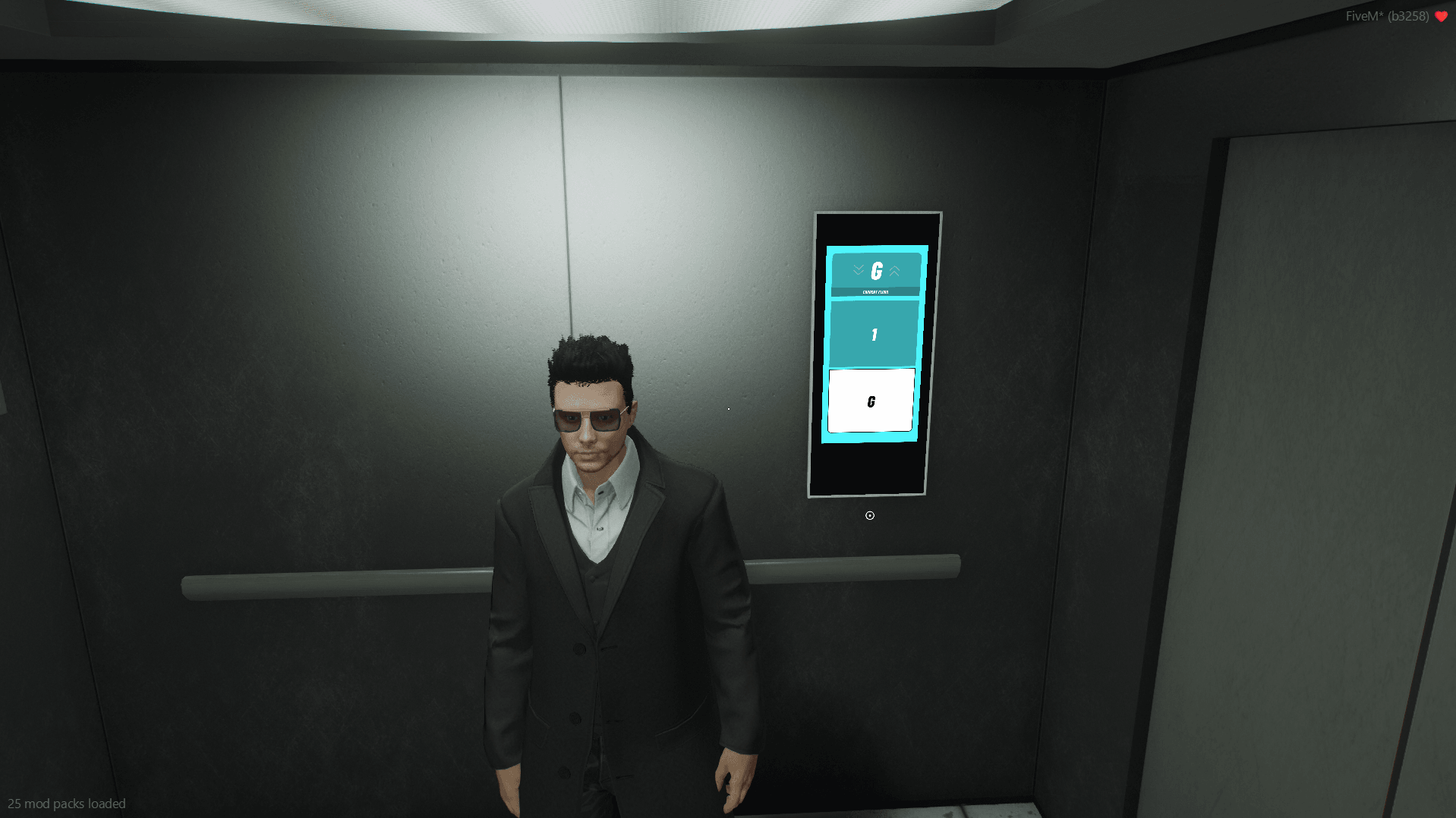
A complete elevator system for FiveM. One shared car that players call and wait for, a floor panel on the wall of the lift, doors that slide open when the car arrives.
1.0.0
3 Oct 2026
Scripts
ESX, QBCore, Qbox, Standalone
1 / 3
A complete elevator system for FiveM. One shared car that players call and wait for, a floor panel on the wall of the lift, doors that slide open when the car arrives, and an in-game creator that lets you set up every elevator without typing a single coordinate. Give your players elevators that feel like real ones in any building, on any map.
Created by Fantasy Scripts.
Features
Design — A clean, modern floor panel and creator window in the same style as the rest of our interface.
Floor Panel On The Wall — The panel hangs inside the lift. Press E, the camera moves up to it, and you click your floor on the panel itself.
One Shared Car — Every elevator has a single car. Call it and wait while it comes from whichever floor it is on.
Smart Queue — The car stops for everybody who called it on the way, finishing one direction before turning round.
Sliding Doors — The lift doors glide open when the car arrives, stay open while it waits and glide shut before it leaves.
Doors Stay Shut While It Is Away — Doors on every other floor stay closed, so nobody walks into an empty shaft or steps out mid-ride.
In-Game Creator — Type /createelevator to make, change and delete elevators in a simple window.
Named Floors — Give every floor a name and a label, such as Ground Floor and G.
One Click Positions — Stand in the lift and press a button to mark where that floor is, with a button to go back to it later.
Point And Place — Aim at a wall and click to hang the panel, with a line showing exactly where it will go.
Call Buttons — Hang our call button model outside the lift, or place an unseen one for lifts that already have buttons of their own.
Pick The Doors — Point at the lift doors to choose them. The door you are looking at is outlined before you click.
Fine Adjust — Move a placed panel or button with W, A, S and D, bring it out from the wall or into it, and turn it, with small steps when you need them.